A color for everyone
Notes, chores and events show at a glance who they belong to.
Family board, lists & weekly agenda
The family fridge door, in your pocket.
Kinboard gives the household one board. Pin notes and checklists, add the week’s events and chores, and give every family member a color so it is clear who does what. Keep the shopping list where everyone can see it, on the kitchen tablet or the phone by the door.
In development · coming to iPhone and Android in the United States
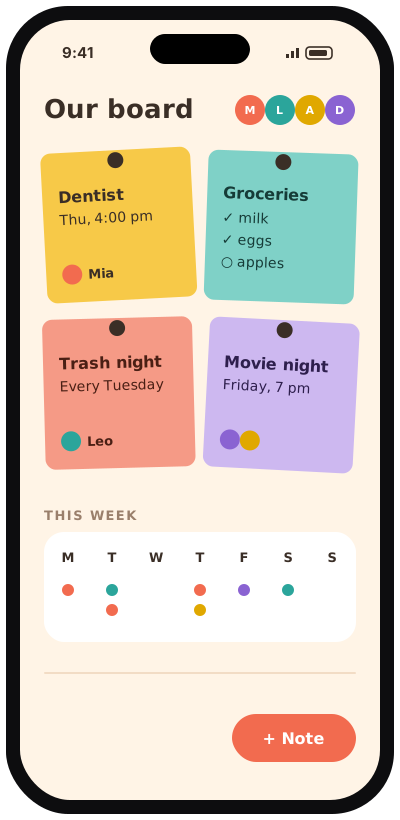
Give each person a name and a color.
Notes, checklists, chores and events, each with the person it belongs to.
See the week by person, and tick things off as they get done.
Notes, chores and events show at a glance who they belong to.
Pin notes, checklists, photos and links, then sort them into boards with tags.
Events and recurring chores laid out for each member.
Add items as you think of them and check them off in the store.
Optional local reminders for chores and events.
Glance at today’s board without opening the app (iPhone).