Encrypted drawers
Documents, photos and voice notes, encrypted on the device with AES-256.
Private vault for documents, photos & voice notes
One locked pocket for the things that matter.
Lockpocket is an encrypted vault on your phone, with a drawer for each kind of thing: scanned documents and PDFs, private photos, voice notes with on-device transcripts, and an inbox that sorts what you import by your own rules. Unlock it with Face ID or your passcode, then search everything at once, even the text inside scans and recordings.
In development · coming to iPhone and Android in the United States
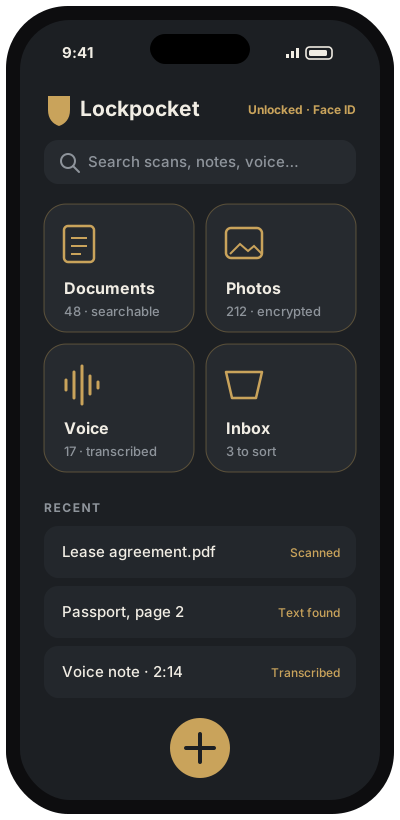
Face ID, Touch ID or your device passcode opens the vault.
Your sorting rules file each item in the right drawer, with a preview first.
Search across drawers, including recognized text and transcripts.
Documents, photos and voice notes, encrypted on the device with AES-256.
Scan paper with the camera; text recognition makes scans searchable.
Record, then transcribe on the device where supported. No cloud transcription.
Imported files land in the right drawer by type, name or date, after a preview.
Merge, reorder, rotate and annotate on copies; your originals stay untouched.
Export a password-protected backup when you choose.